A shop management app you can run the whole duka from
Most shop software here is a stock list with a till bolted on. That is fine until the questions get harder — which of these two soaps is actually making money, why the count says forty when the shelf says thirty, who was on the counter when the till came up short. Duka365 is built around those questions, on a phone, in the language you already work in.
What shops keep running into
You know what you sold. You do not know what you earned.
Every product carries what you paid for it as well as what you sell it for, so the margin is on the screen while you are pricing. Reports show profit by product and by category — which is how you find the fast mover that earns almost nothing and the slow one that pays the rent.
The count on the phone and the count on the shelf disagree.
The app will not let you sell more than the number it holds, so the disagreement surfaces the moment it happens instead of accumulating into a figure nobody believes. Correcting it takes two taps, and every correction is recorded as a movement rather than overwriting the number.
Somebody sold on credit and nobody wrote down who.
A sale that is not paid in full has to name a customer — the app refuses otherwise. The debt is attached to them, the phone shows what the shop is owed and by whom, and repayments are recorded one by one rather than adjusting a running total.
Your stock has no barcodes, so scanning is useless.
You can give every product a barcode in one tap and print shelf labels from the phone. They are proper EAN-13 codes in the range reserved for in-store use, so a scanner reads them like any other.
You cannot tell what your staff sold while you were out.
Every sale records who rang it up, and the reports break down takings by person. A cashier signing in gets a till and nothing else — no margins, no shop totals, no way to change a price.
A day in a shop that runs on it
- 1
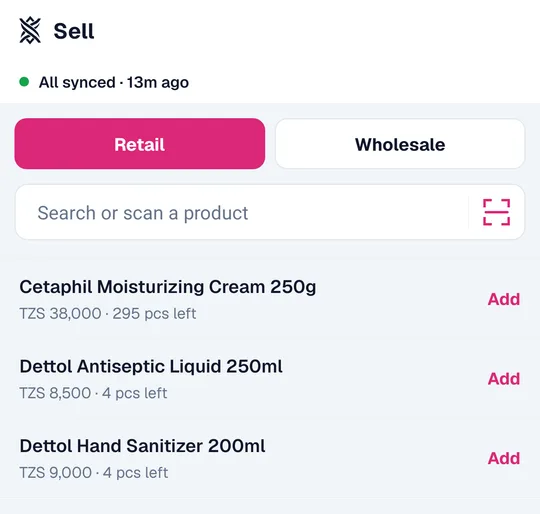
You open the app and it opens on the till, with your whole catalogue already on the phone.
- 2
A crate arrives. You add the count at the shelf, and the number changes there and then.
- 3
Customers come. Search or scan, tap, take the money. A sale takes about four seconds.
- 4
Somebody buys on credit. You add them as a customer at the counter and the debt is theirs.
- 5
A product runs low. It appears on Today with a tap that takes you straight to restocking it.
- 6
You close up, and the dashboard on a laptop at home shows the day as one page: taken, earned, owed, and what needs reordering.
Questions before you move your shop onto it
- Do I have to type in all my products first?
- You can add them as you go — one at a shelf takes about twenty seconds, and it can be sold immediately. If you have a spreadsheet already, the paid plans import it in one go.
- What if I have no internet in the shop?
- It keeps selling. Sales are recorded on the phone and sent when a connection comes back, and nothing is lost or counted twice.
- Can my employee use it without seeing my profits?
- Yes. That is what the cashier role is for: they get the till and today’s takings at their own counter, and none of the margins, reports or settings.
- Does it work on a cheap Android phone?
- Yes. It holds the catalogue on the device rather than fetching it, so it stays fast on a slow handset and a slow connection.
- What does it cost?
- Free for a shop with up to 100 products and 150 sales a month, with no time limit. Paid plans lift the ceilings and add reports, staff accounts and branches.
Start with one shelf
Add the products you sell most, use it at the counter for a week, and see whether the numbers tell you anything you did not already know. Free, and nothing to cancel if they do not.